Dstny Voicemail User Guide

There are two types of voicemail boxes on the Dstny system, your individual mailbox for your extension number and group mailboxes for numbers that call multiple users, for example your main number.
To retrieve messages dial the relevant retrieval number, these are the numbers we will generally assign but please note they may be different, so please call us if you are not sure.
Individual Mailbox Retrieval Number 8001
Group Mailbox Retrieval Number 8000
Voicemails will be sent via email to your email address and a text may also be sent to your mobile if you use the Dstny mobile app.
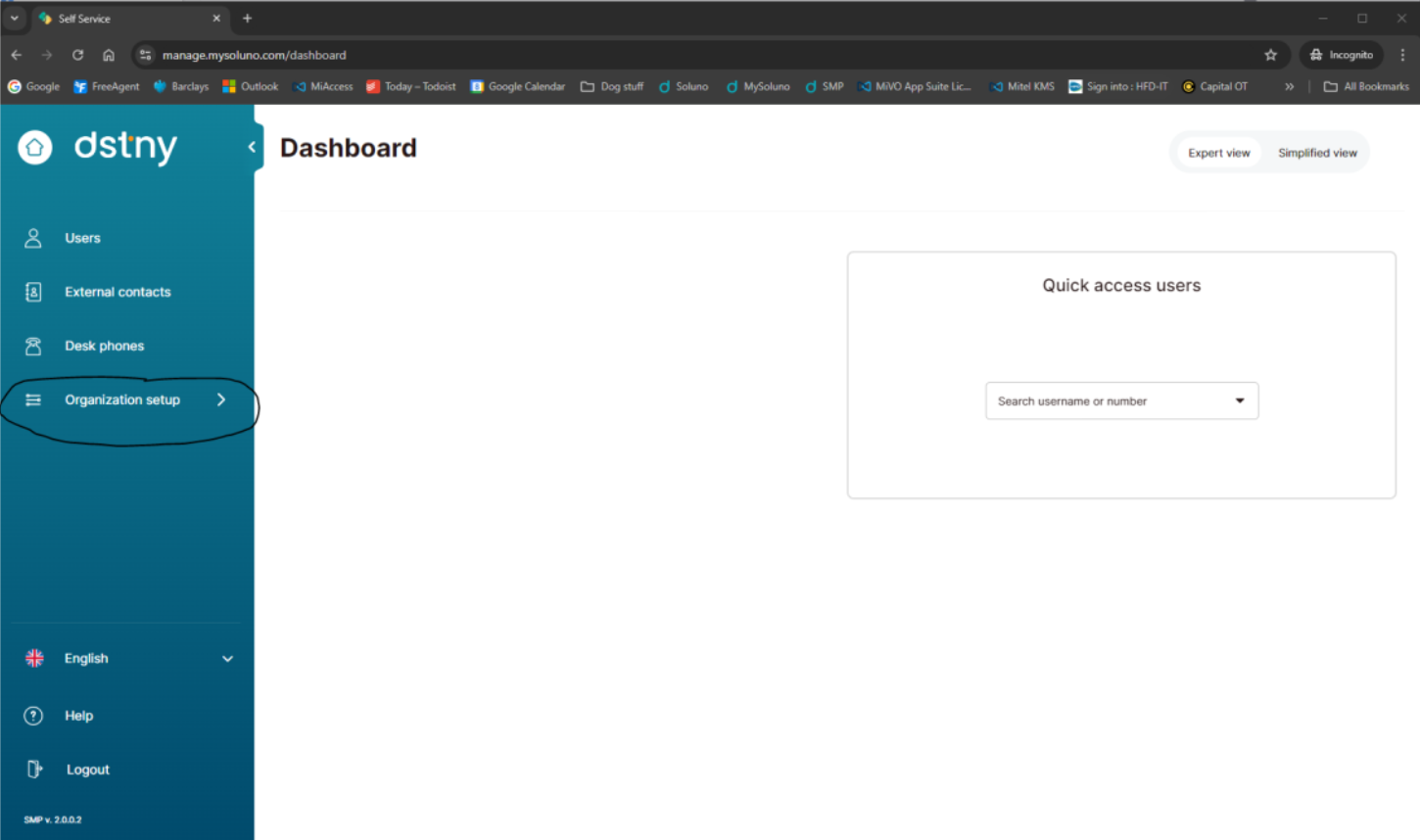
Select Organisation setup on the left hand menu.
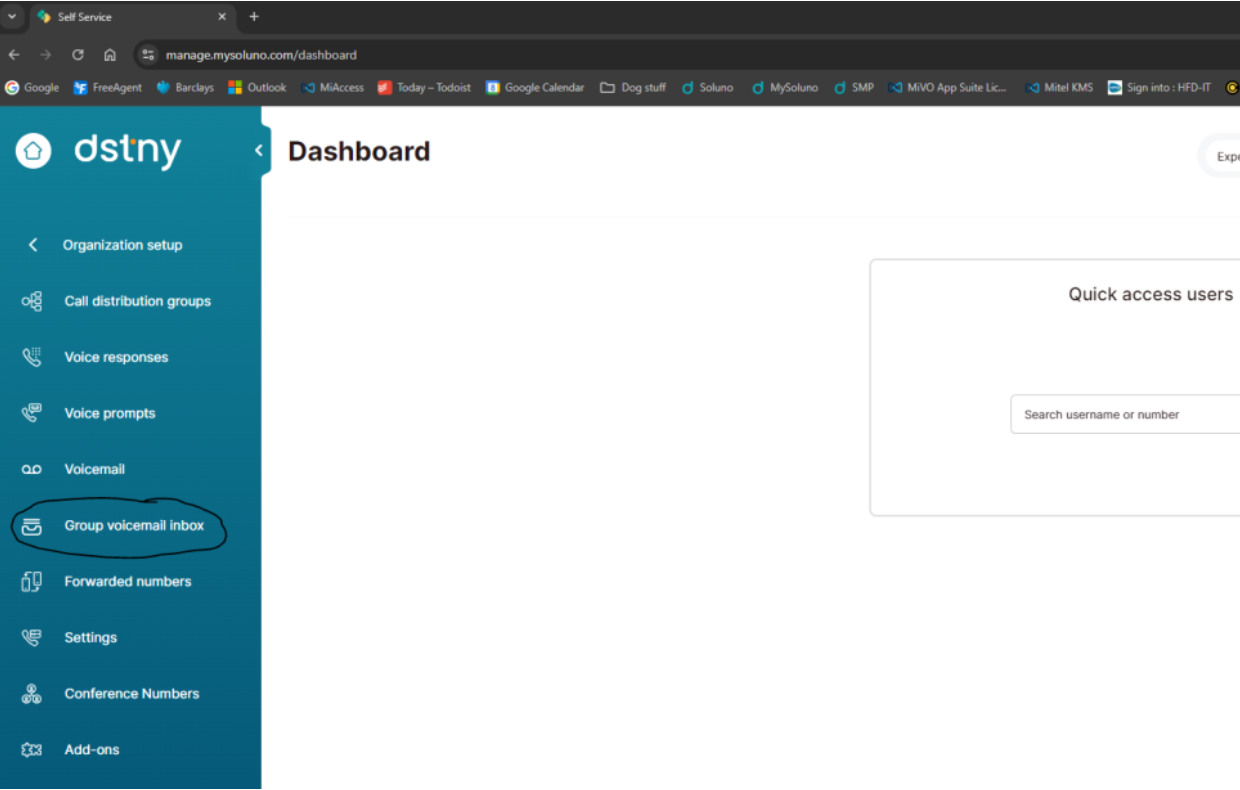
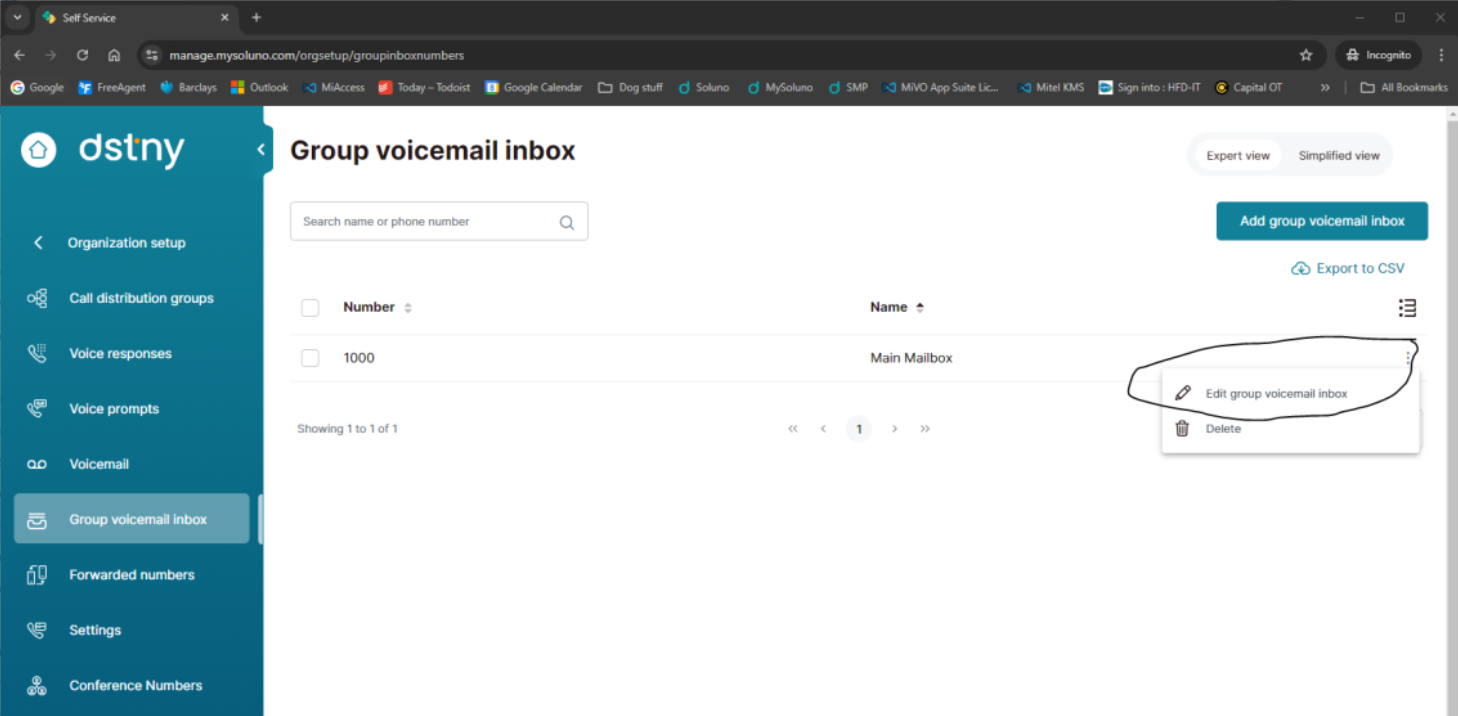
Select Group voicemail inbox.
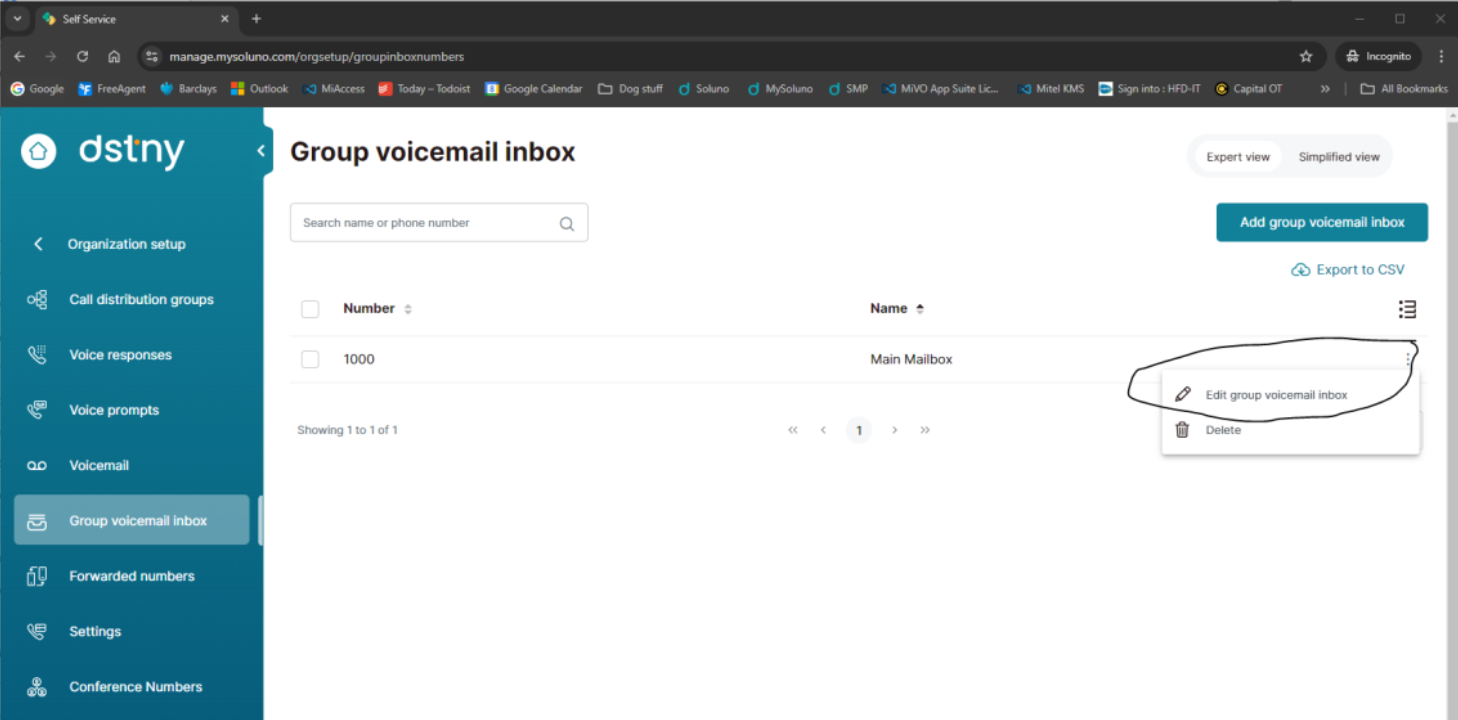
Click on the 3 dots to the right hand side of the Main Mailbox and select Edit group voicemail inbox.
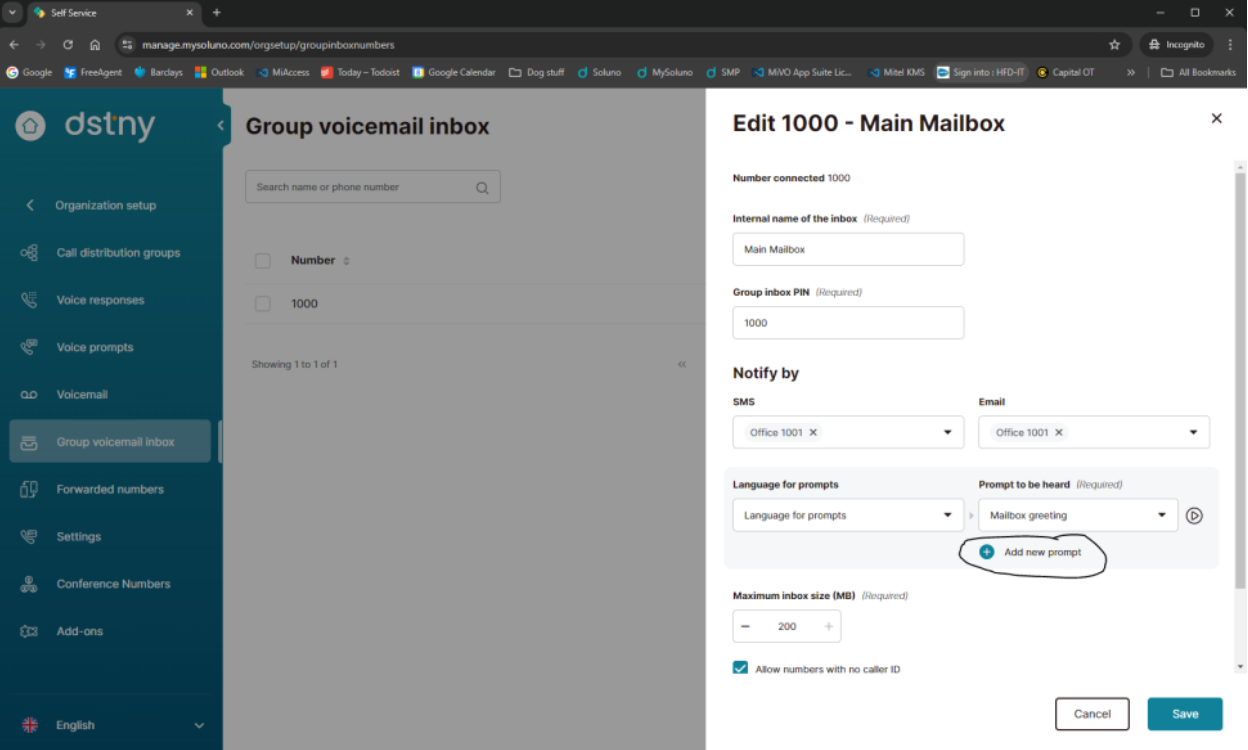
Click on the + next to Add new prompt.
On the pop up enter a name and a comment and click on the + next to Add new language.
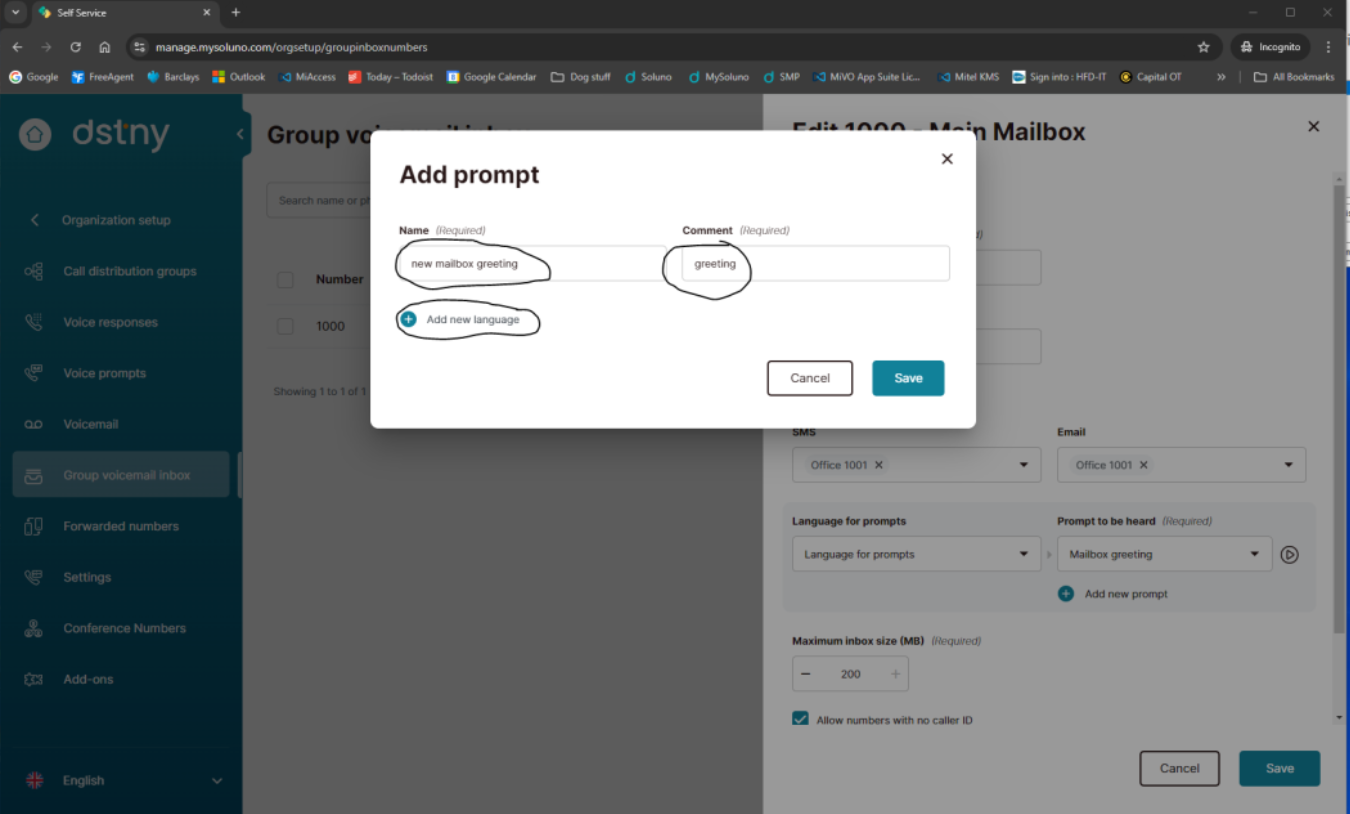
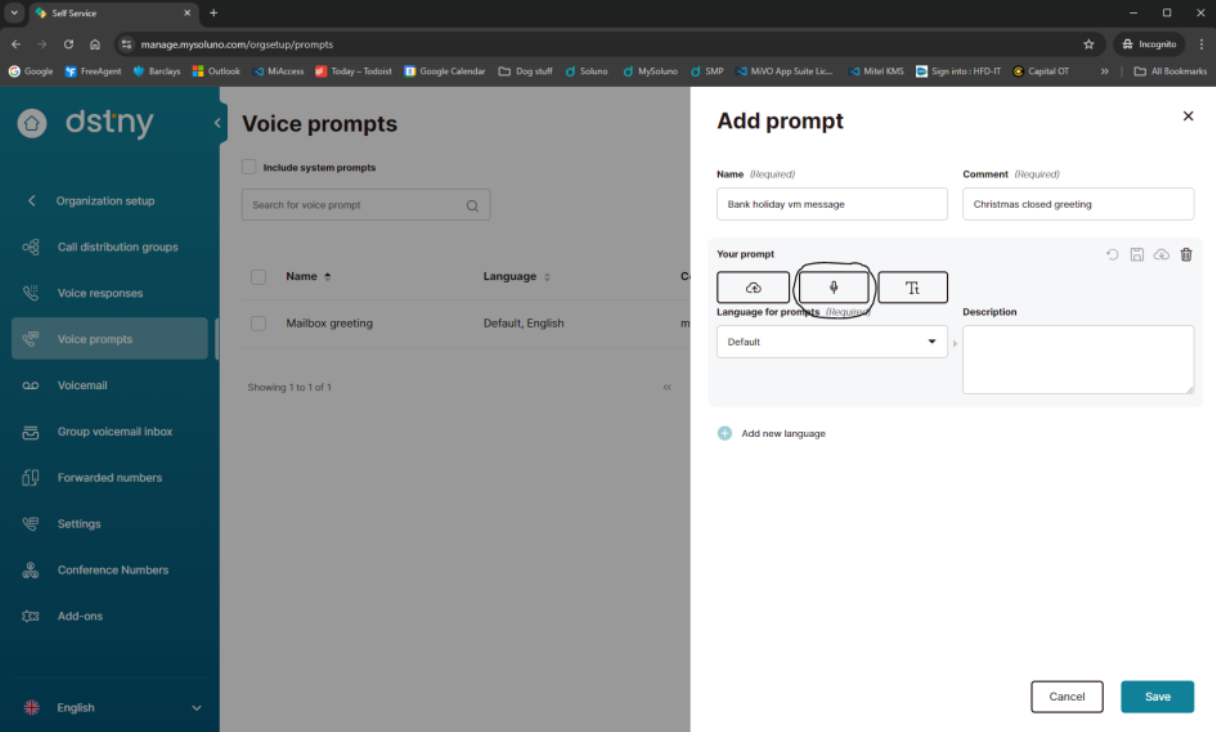
Type in a description and click on the microphone icon.
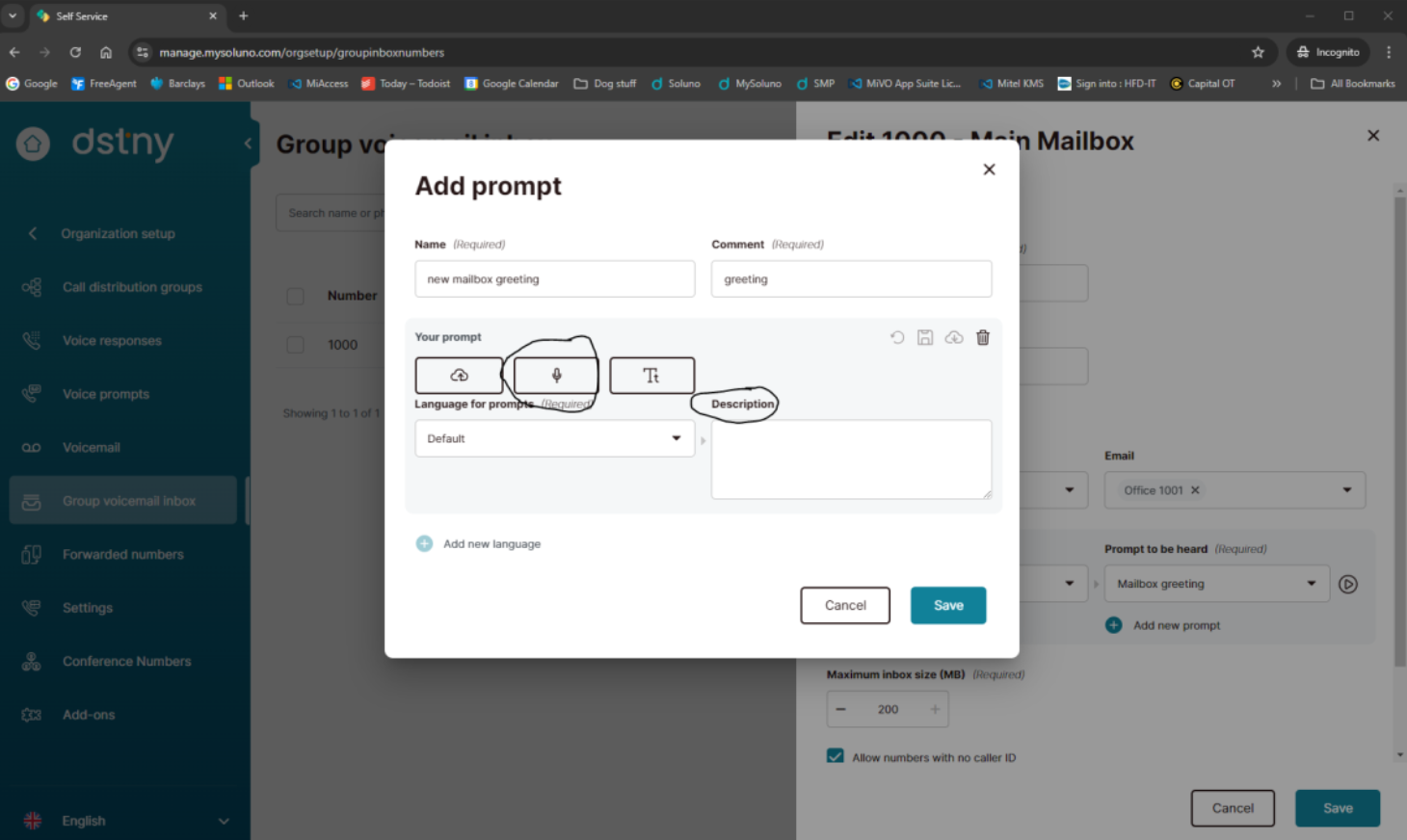
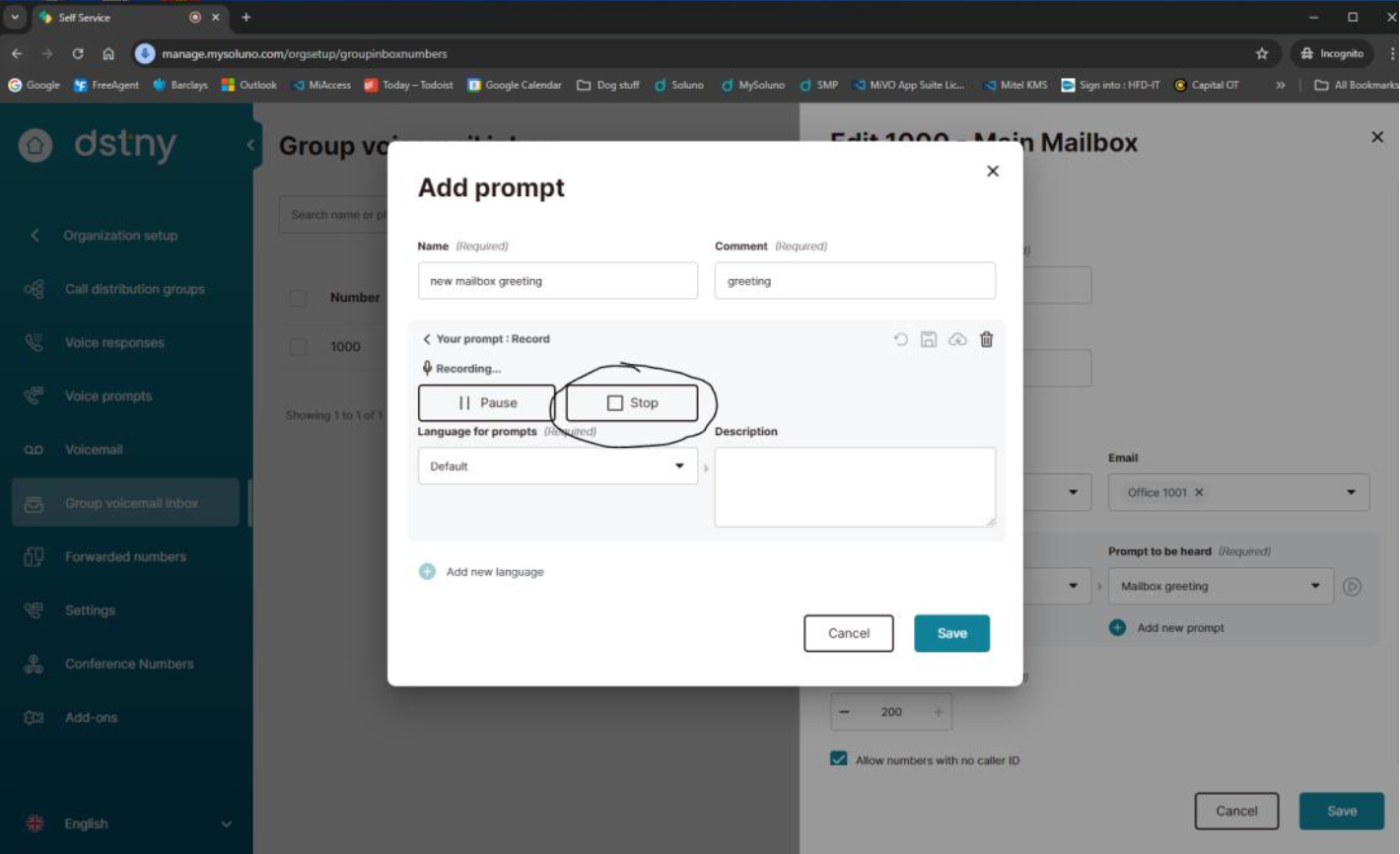
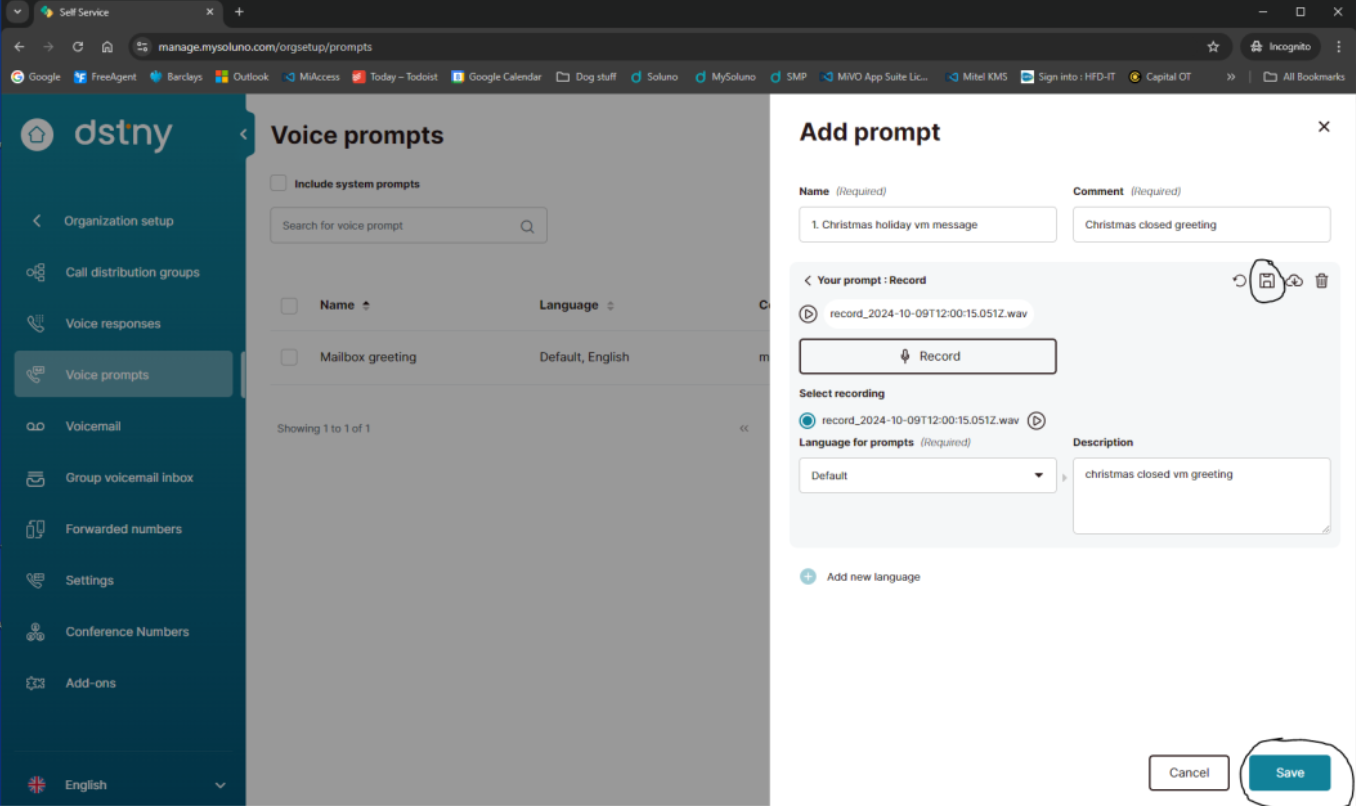
Click on Record, you will probably get a pop up asking to allow manage.mysoluno.com to use your microphone, click on Allow.

Record the new greeting then click on Stop. It often helps to have what you wish to say written down.
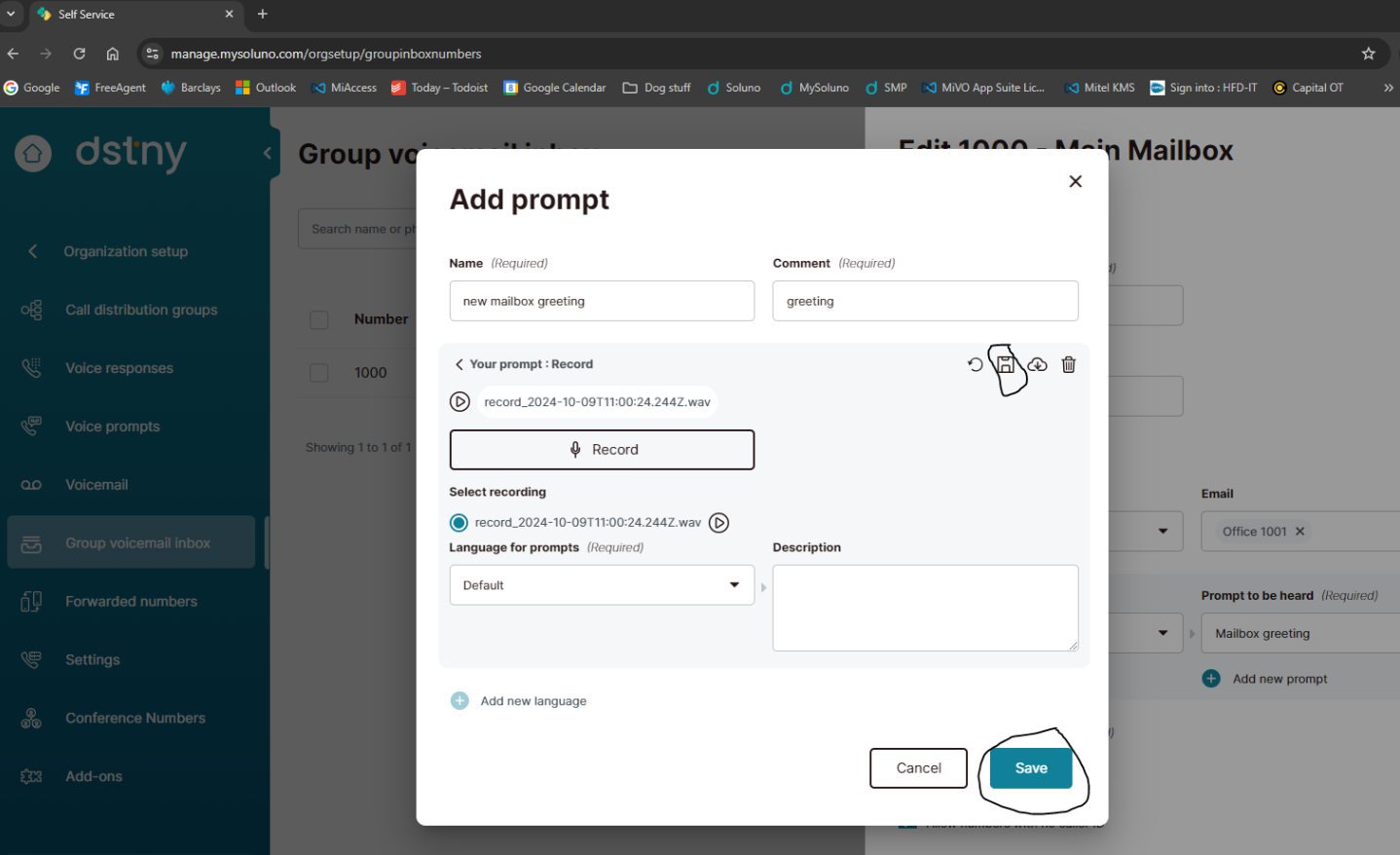
Click on the Save floppy disk icon then Save in the bottom righthand corner.
Make sure the new prompt name is in the Prompt to be heard box and click on Save in the bottom right corner.
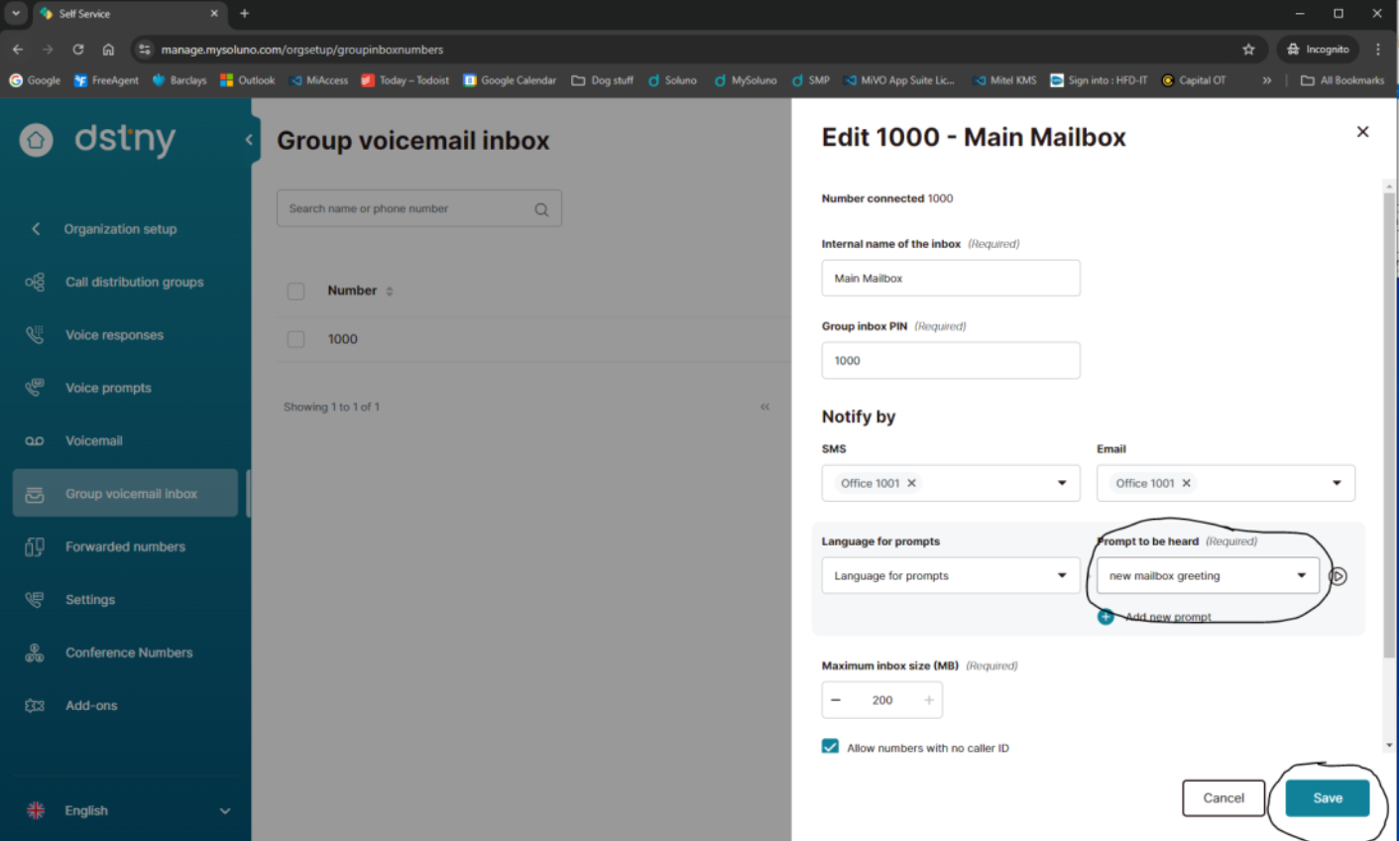
Alternatively, you can pre record the greetings first then edit the mailbox and select the pre-recorded prompt, then save. This also enables you to prerecord any Christmas, Easter or event messages.
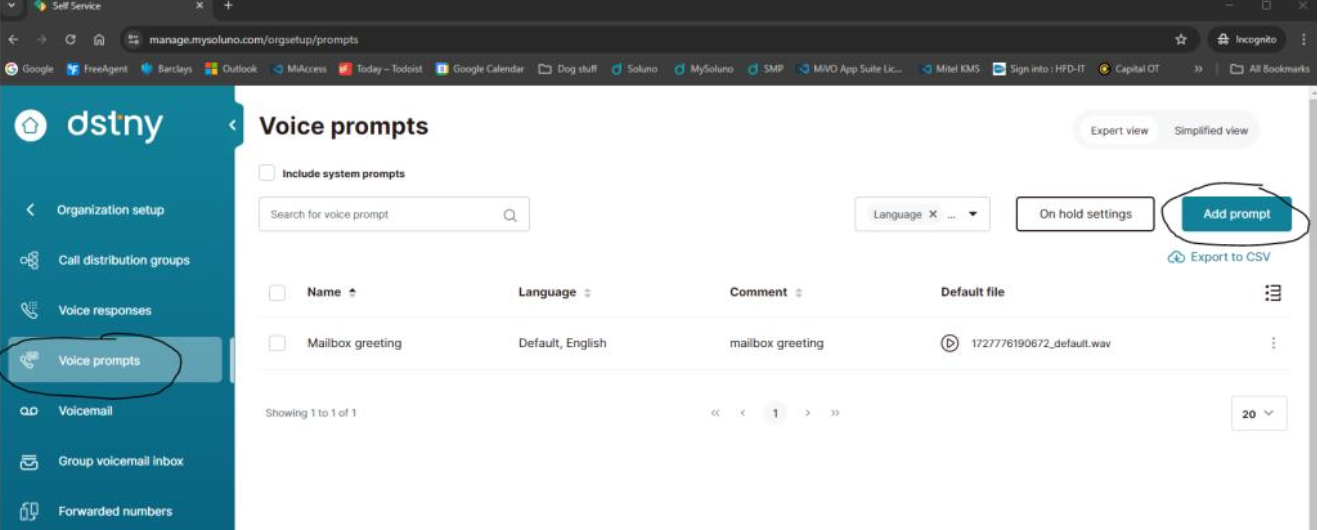
Enter a name (tip, if you number the prompt it makes it easier to find it when applying it to the mailbox), comment and click on + next to add new language. Click on the Microphone Icon.
Click on Record, once finished, click on Stop, then click on the Floppy disk icon to save and then Save in the bottom righthand corner.
The new greeting will then show in the list of Voice Prompts.
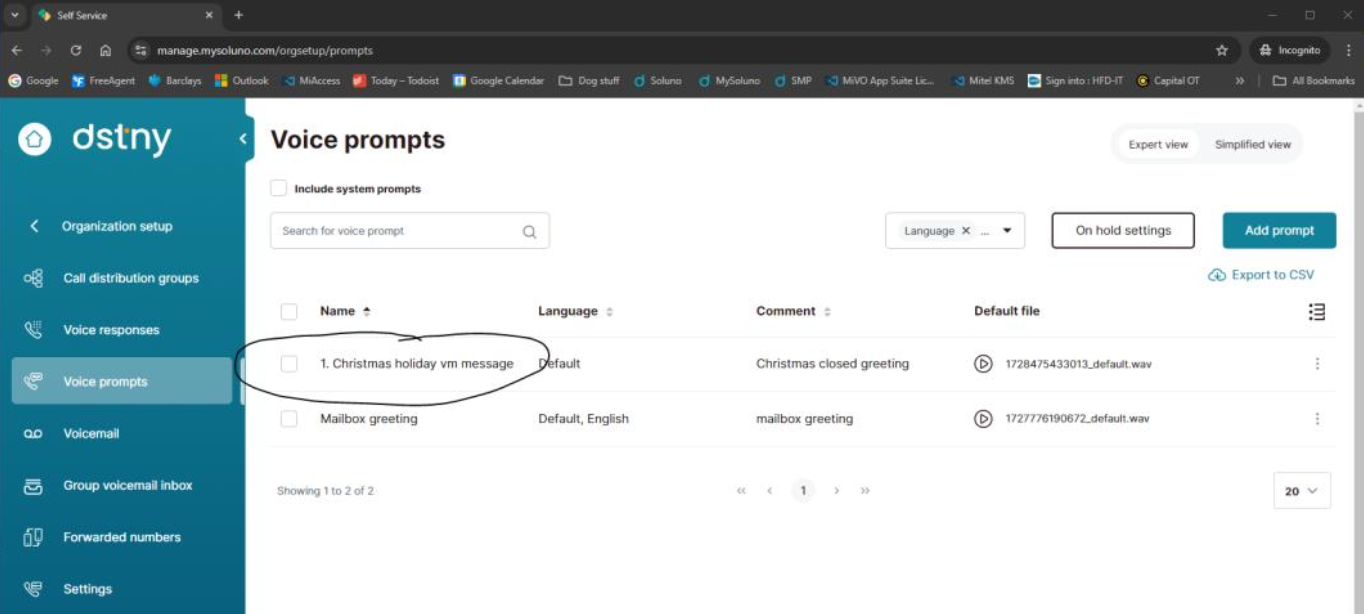
To add to the main mailbox, select Group voicemail Inbox on the lefthand menu. Click on the three dots and select Edit Group voicemail inbox.
Click on the black drop down arrow on the Prompt to be heard, find and select the greeting you want to use, then click on Save in the bottom righthand corner.
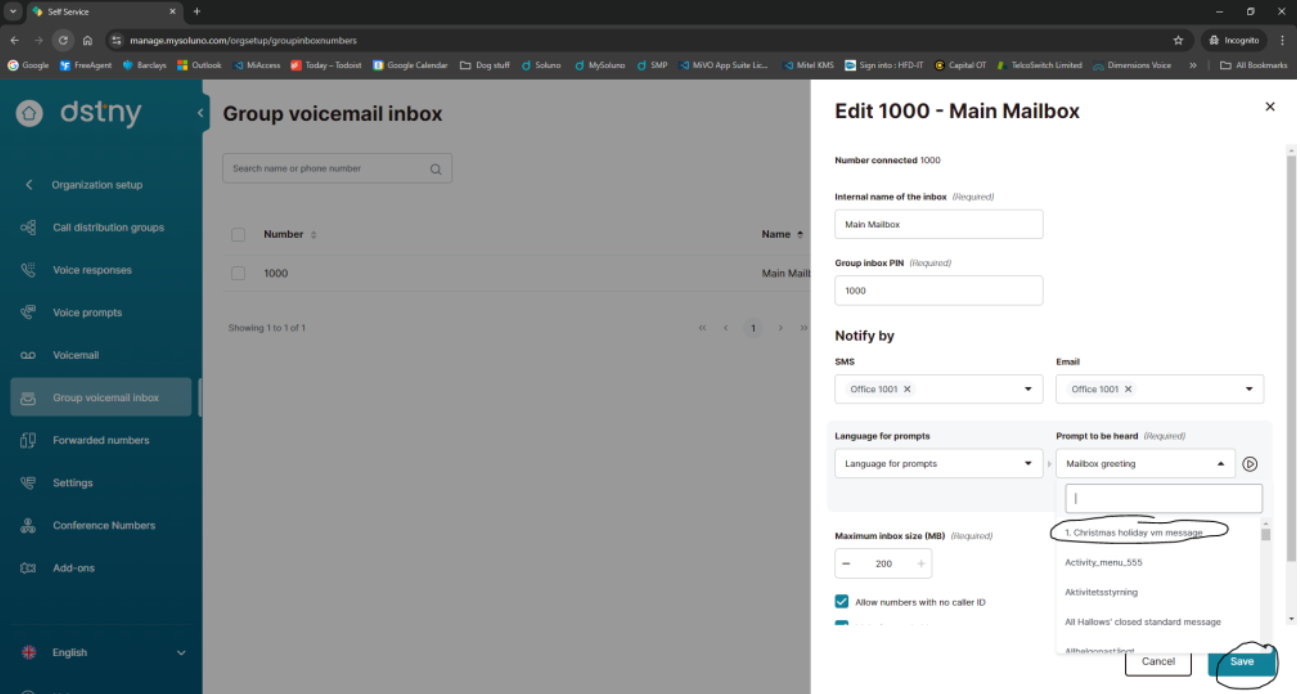
If you want to listen to any of the greetings, click on the play icon. We would recommend a headset to record the greetings to block out background noise.
PDF Userguide: Dstny - Voicemail User Guide
Check out our user guide for adding entries to the directory within Dstny.
Read moreConnect Me URL https://connectme.hosteduk.net Login: usually your email address Pwd: Welcome1!2025 To download the PC Application Click on the Setting Cogwheel in the bottom left hand corner Select Applications Download the Desktop app, the login will be the same as the web login PDF Userguide: Dstny - Connect Me Guide
Read more