Dstny – Adding Entries to the Directory

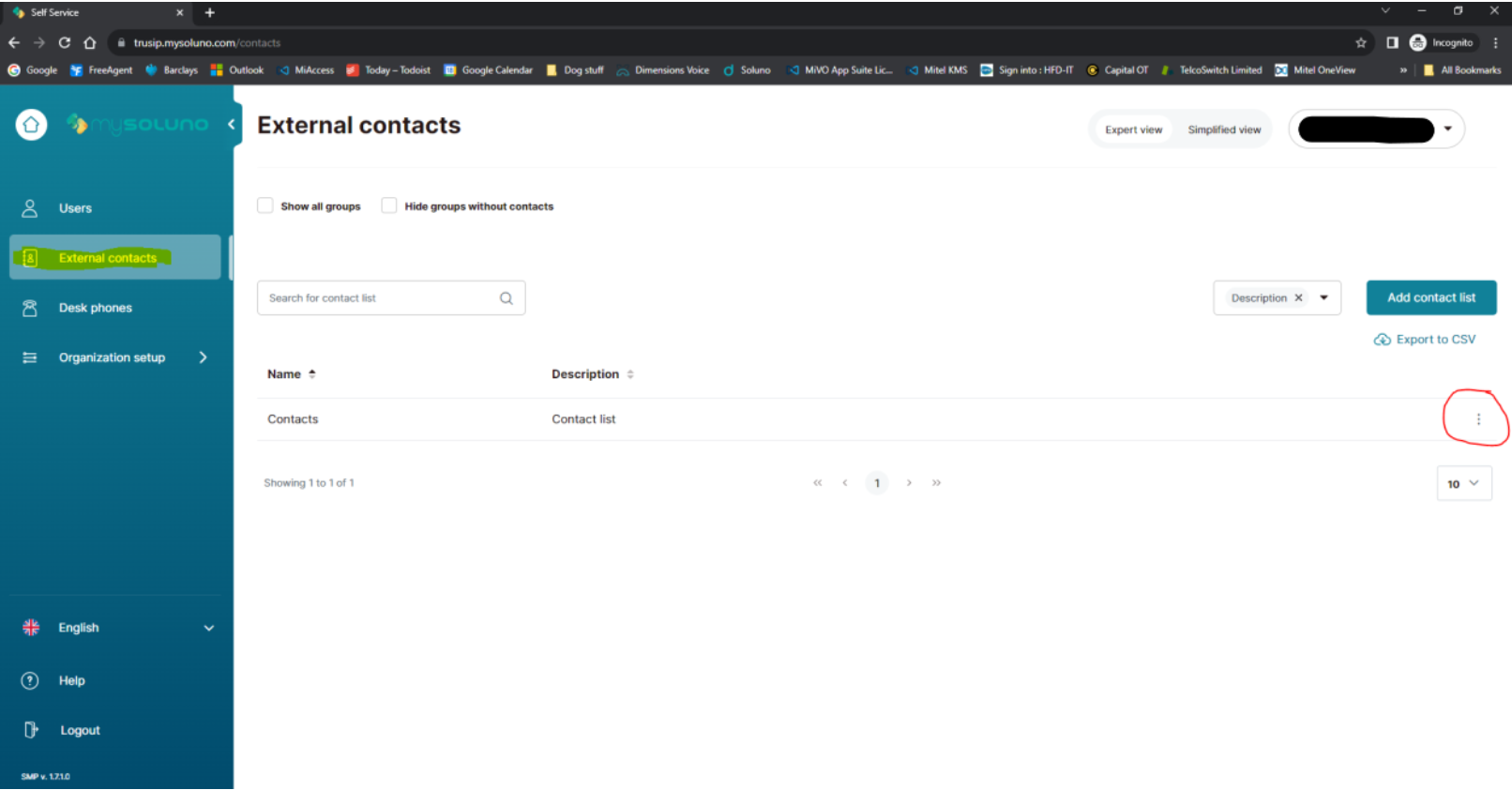
Click on Edit Contact List (circled in red below)
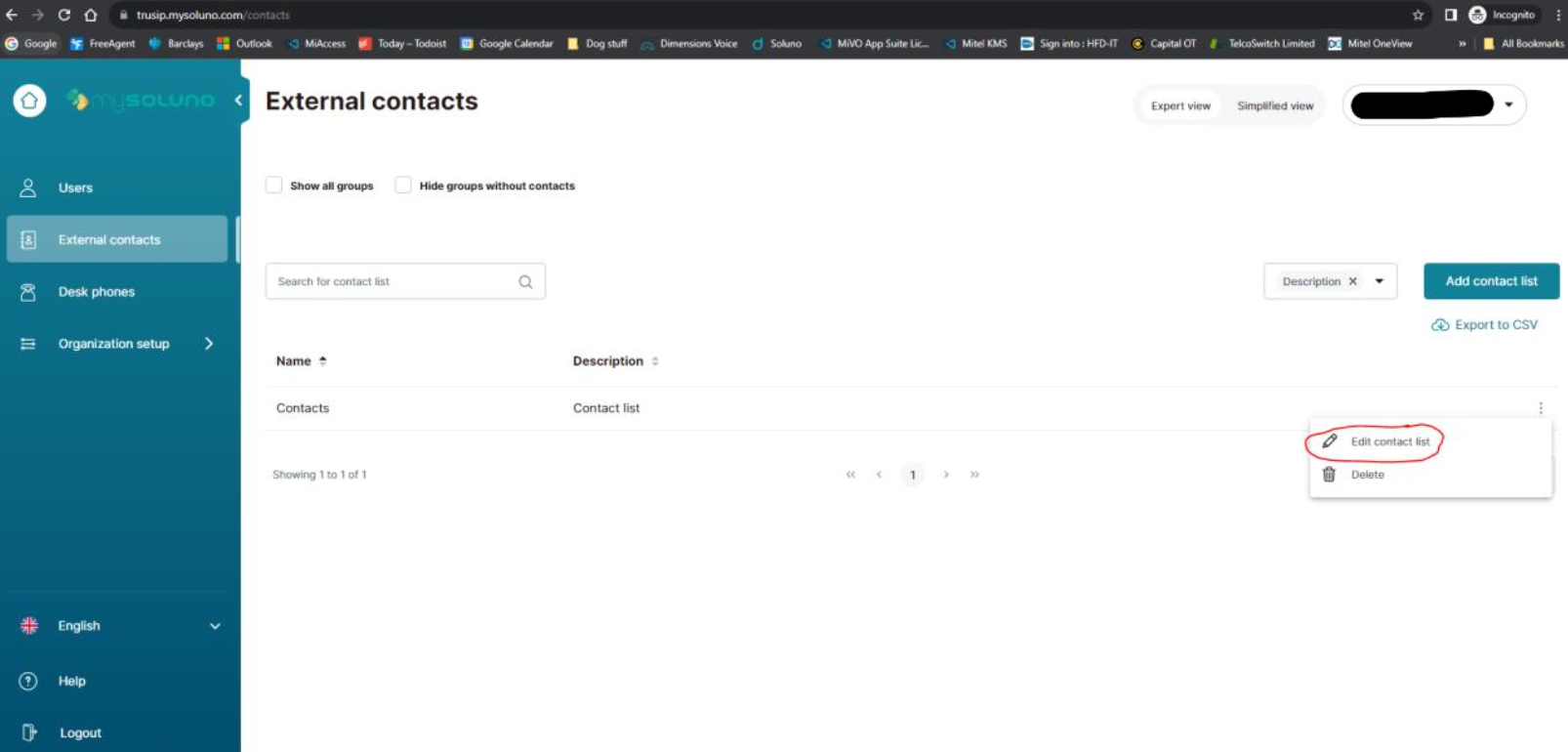
Make sure the window that appears has ‘Edit contact list KL-Contacts at the top (highlighted in yellow below)
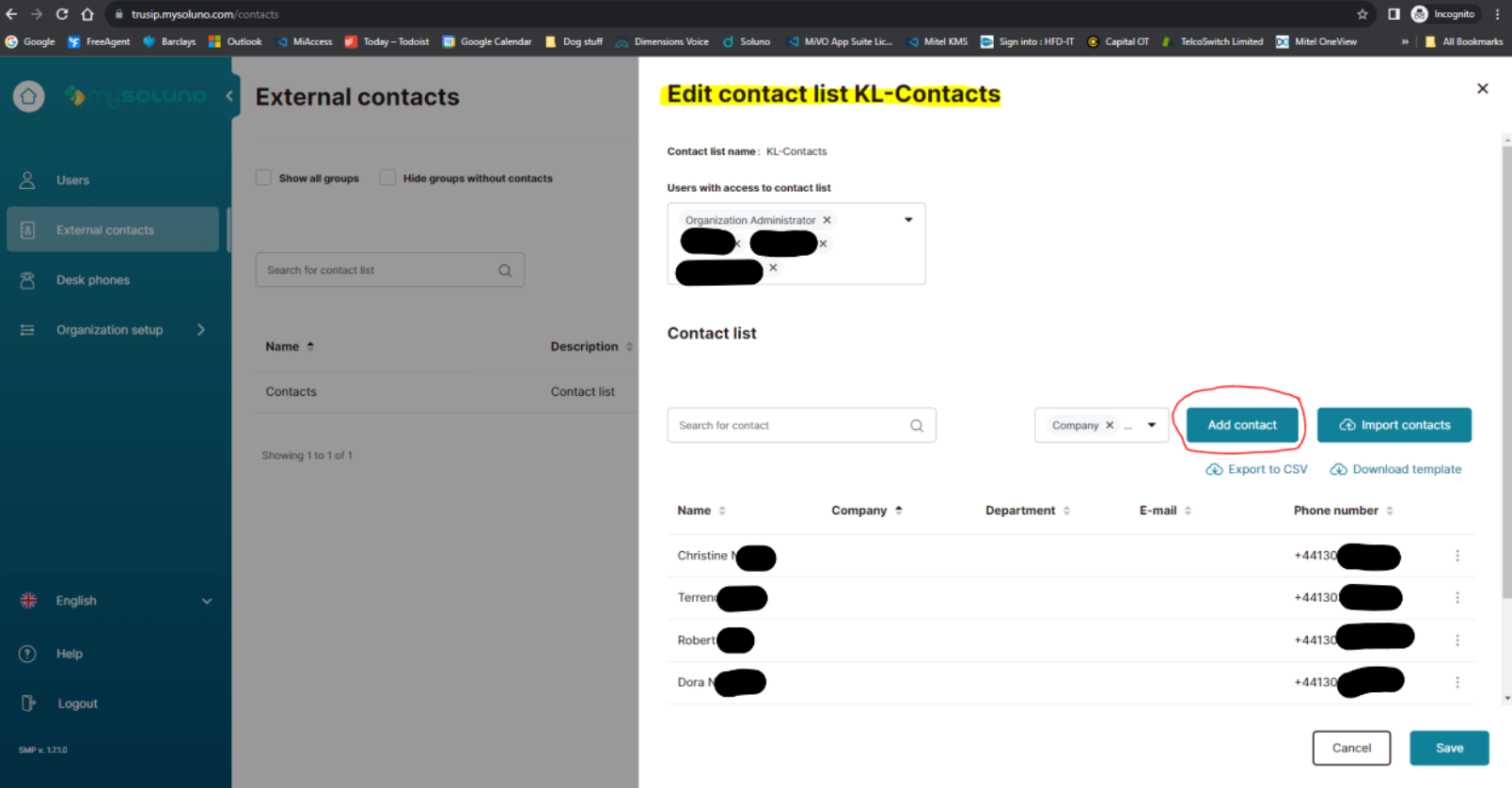
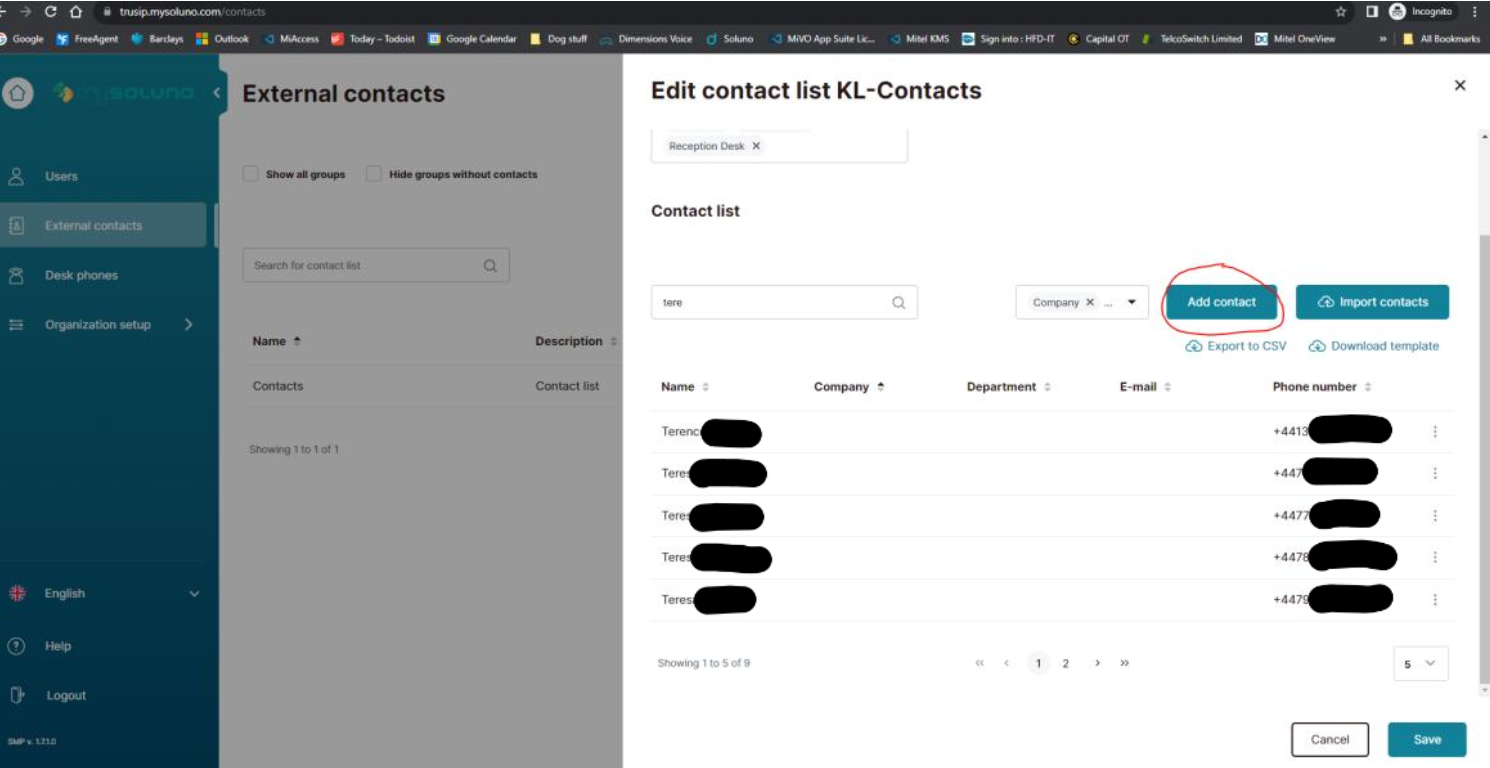
Click on Add Contact (circled in red below)
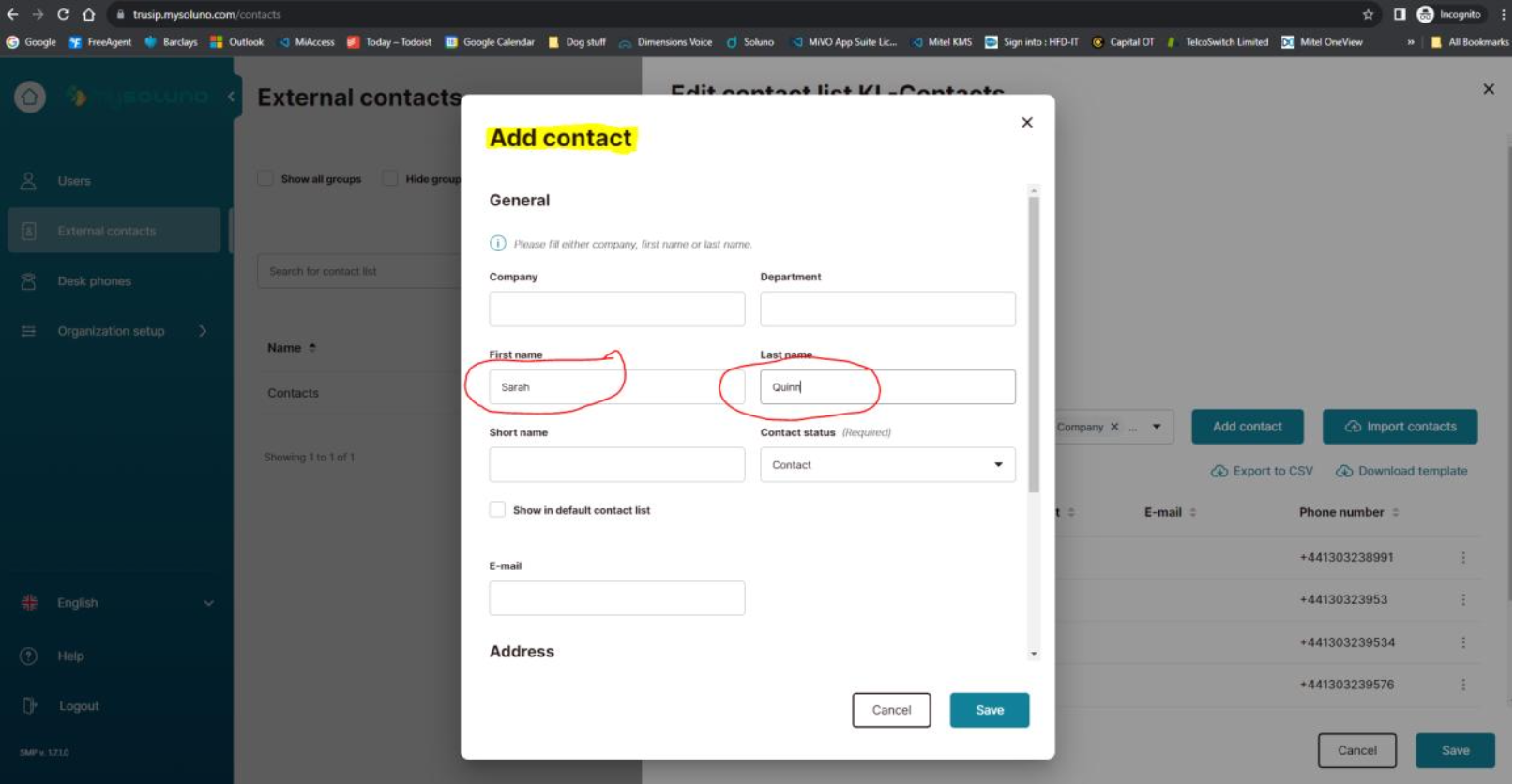
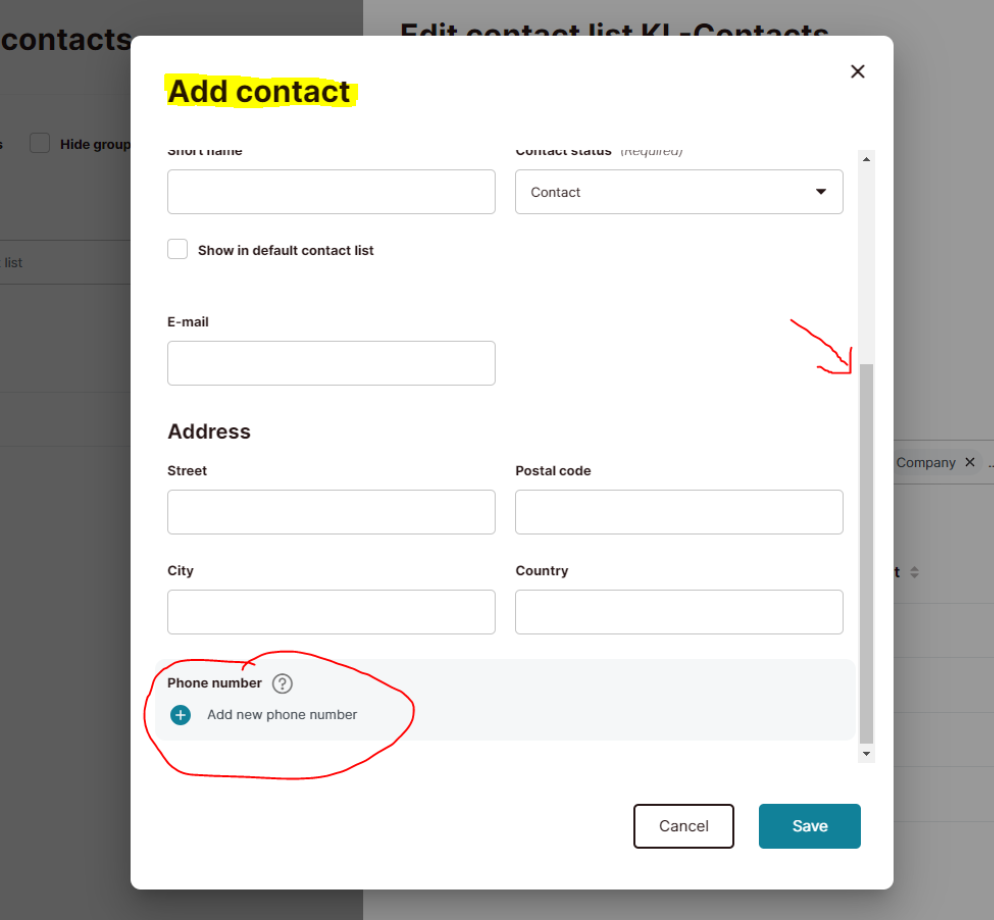
In the window that pops up make sure it says Add Contact (highlighted in yellow). Enter the first name and last name of the new contact.
Use the bar on the right hand side to scroll down to the bottom of the window and click on Add new phone number (circled in red).
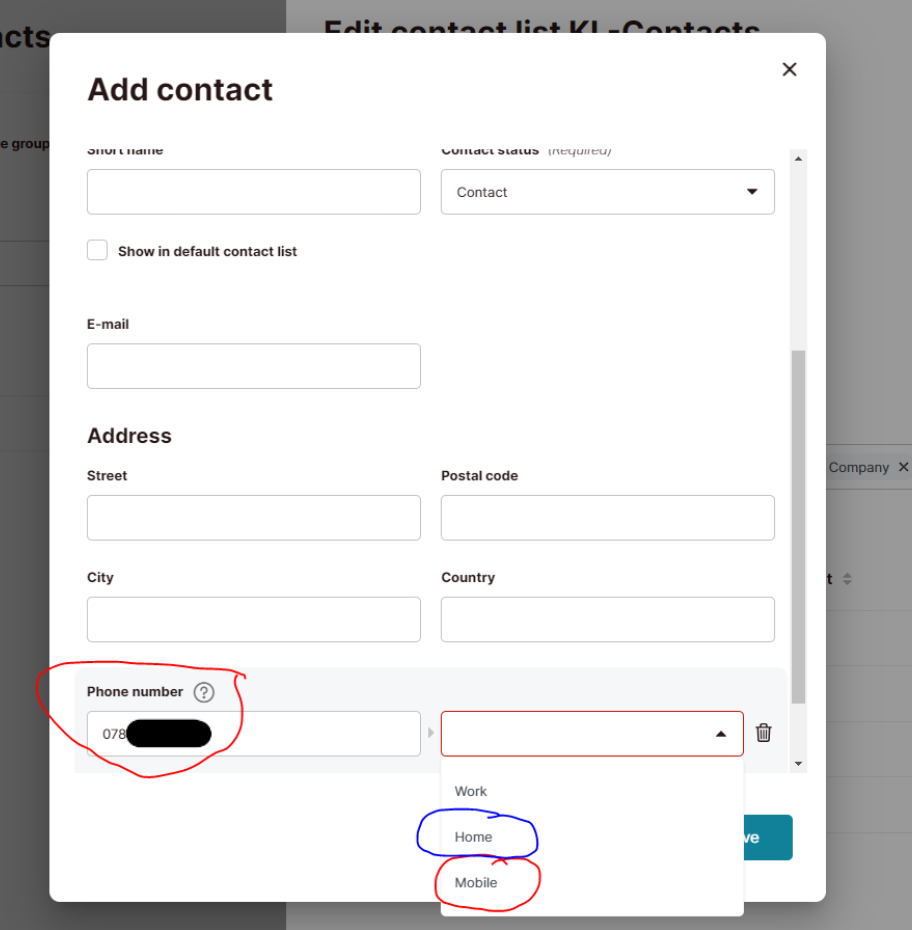
Type in the contacts telephone number in the Phone Number box. Click on the drop down arrow on the next box and select whether the phone number is the Mobile, Home or Work number.
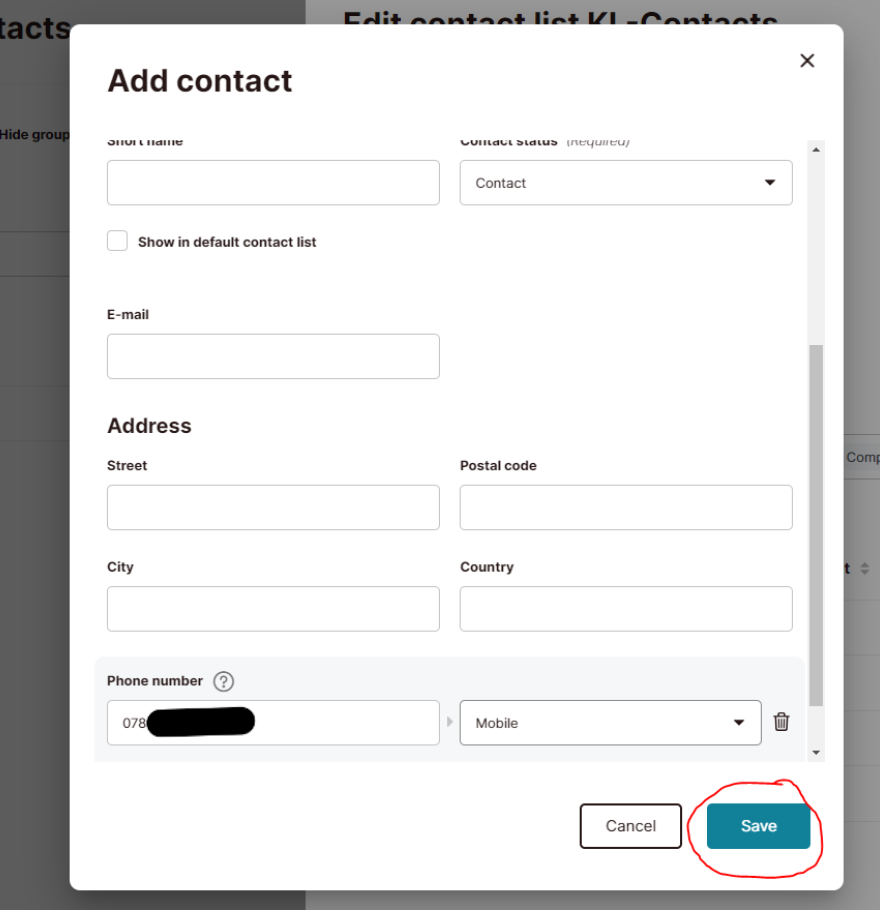
Click on the green Save button (circled in red below).
If you have another contact to add click on Add Contact again (circled in red below) making sure Edit Contact list KL-Contacts is still showing.
Repeat steps 7-10 to add any more contacts.
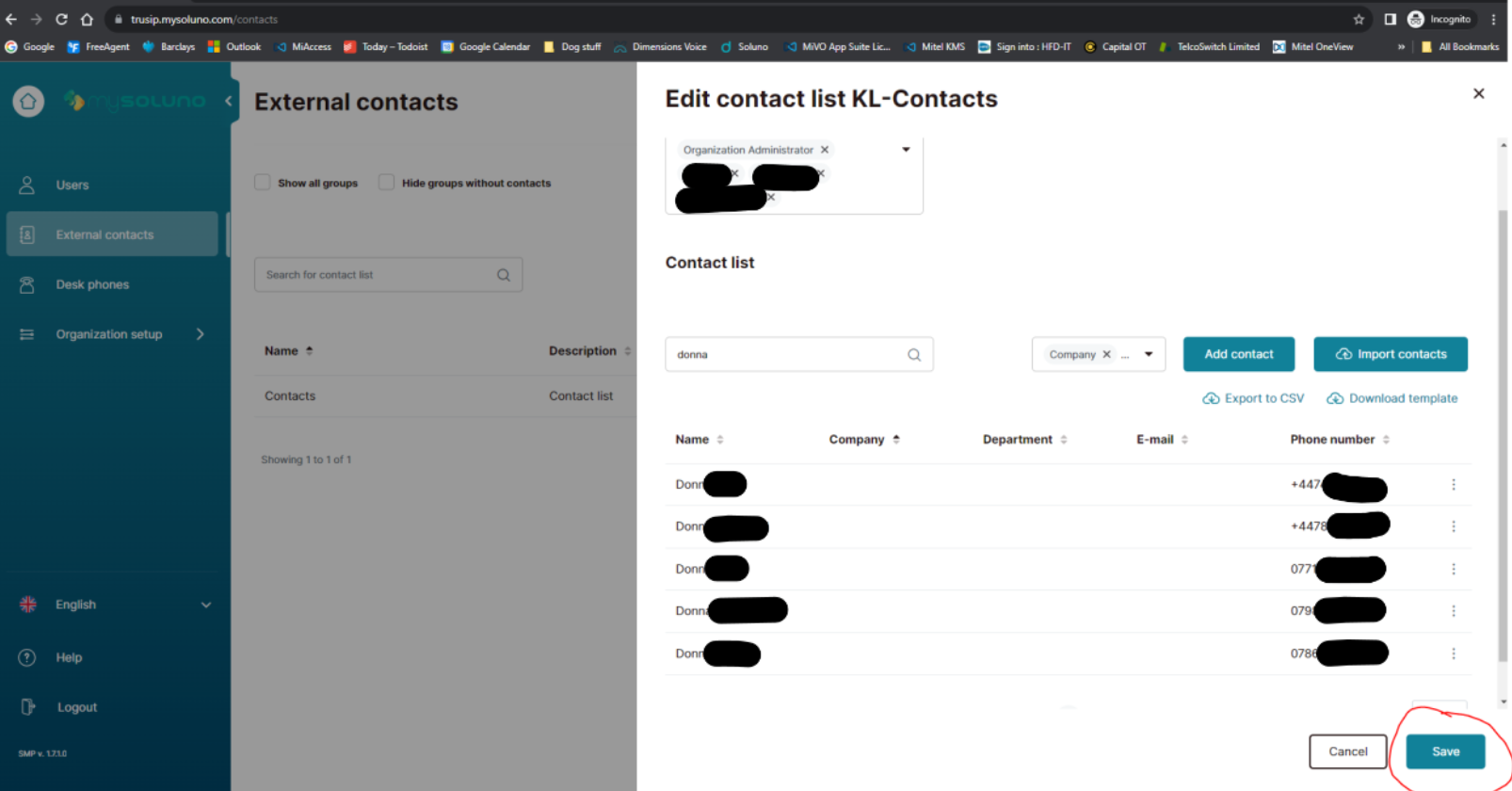
Once you have added all the contacts you wish to, click on Save in the bottom right corner of the Edit contact List KL-Contact window (circled in red below).
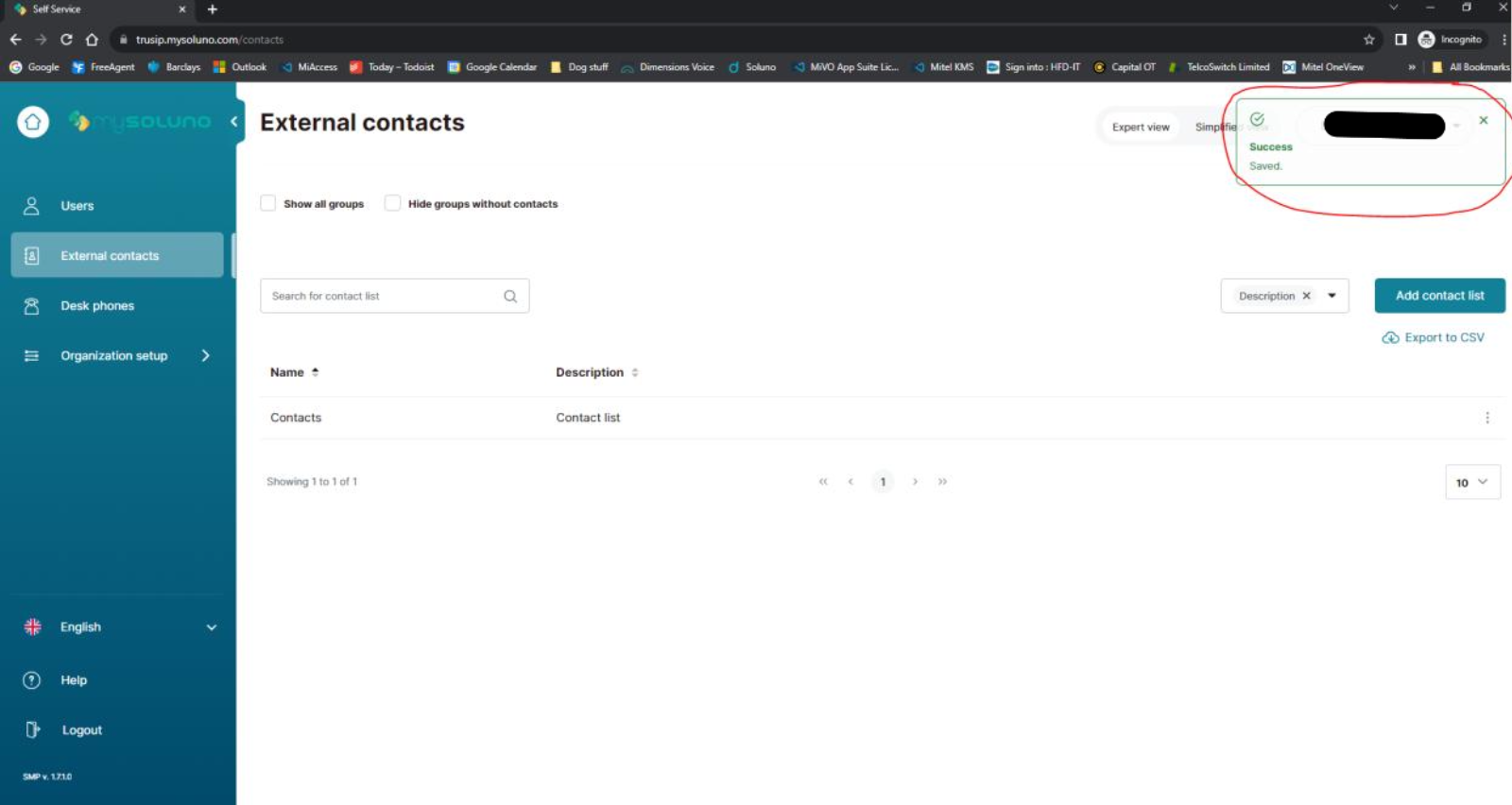
If the contacts have saved OK, you will see a pop up in the top right hand corner confirming the save was successful. The browser can then be closed.
PDF Userguide:
Connect Me URL https://connectme.hosteduk.net Login: usually your email address Pwd: Welcome1!2025 To download the PC Application Click on the Setting Cogwheel in the bottom left hand corner Select Applications Download the Desktop app, the login will be the same as the web login PDF Userguide: Dstny - Connect Me Guide
Read more